All guides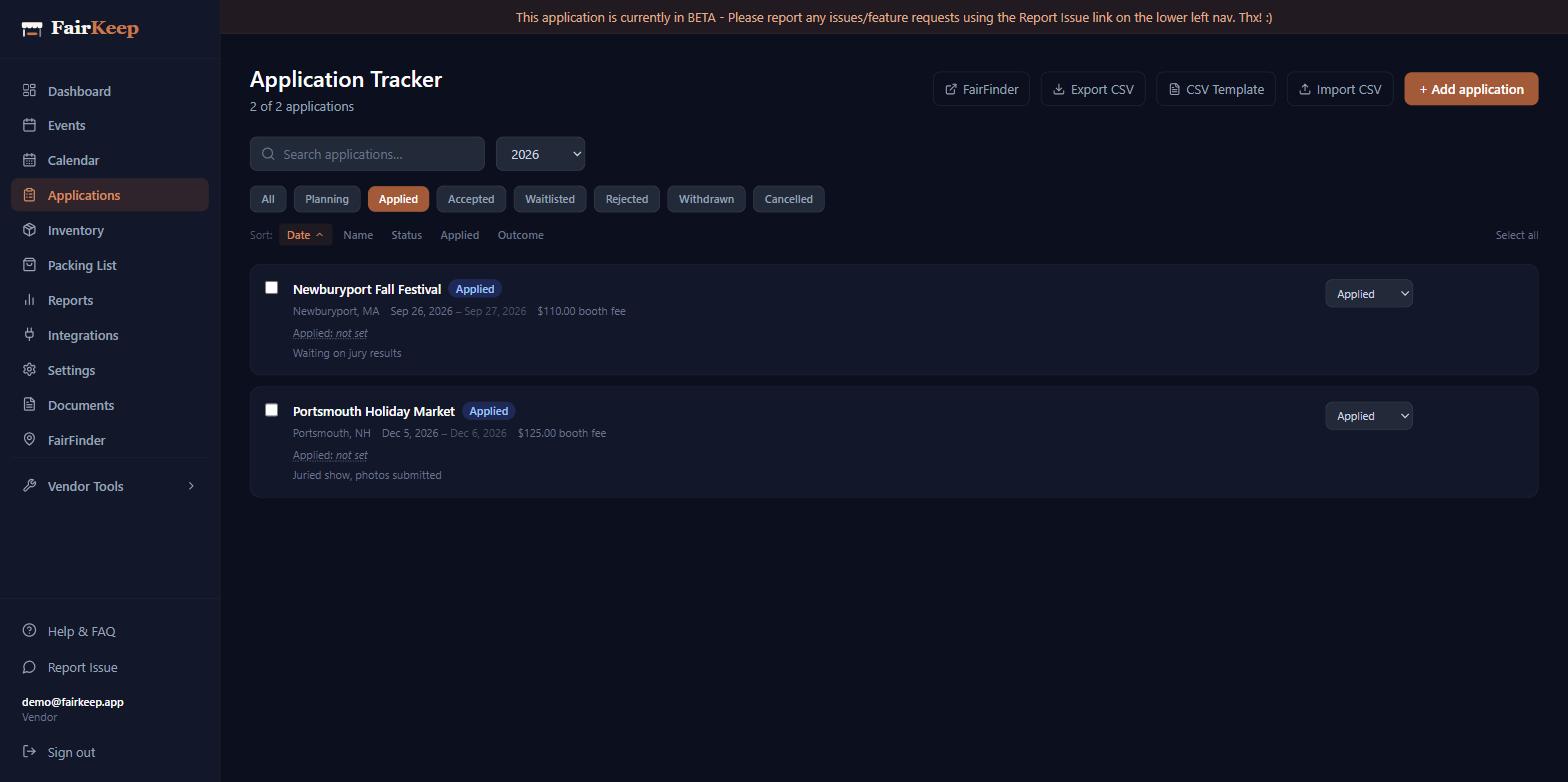
Applications
Use the applications tracker
Manage every market application in one place — log it when you apply, update the status as you hear back, and convert acceptances into full event records.
- 1Go to Dashboard → Applications.
- 2Click New Application and enter the market name, date, and fee.
- 3Set the status to "Applied." Update it to Accepted, Waitlisted, or Rejected as you hear back.
- 4When accepted, click the calendar-plus icon on the row to promote it into a full event record.
Related guides
Turn an accepted application into an event
Promote any application straight onto your event calendar — FairKeep carries over the name, location, booth fee, and status, and splits a multi-day show into one event per day.
Find markets to apply to using FairFinder
Browse and discover craft fairs, art markets, and book fairs near you through FairFinder — right from within FairKeep.
Import historical applications via CSV
Bulk-import past market applications using a CSV spreadsheet so you can get years of show history into FairKeep in minutes.