All guides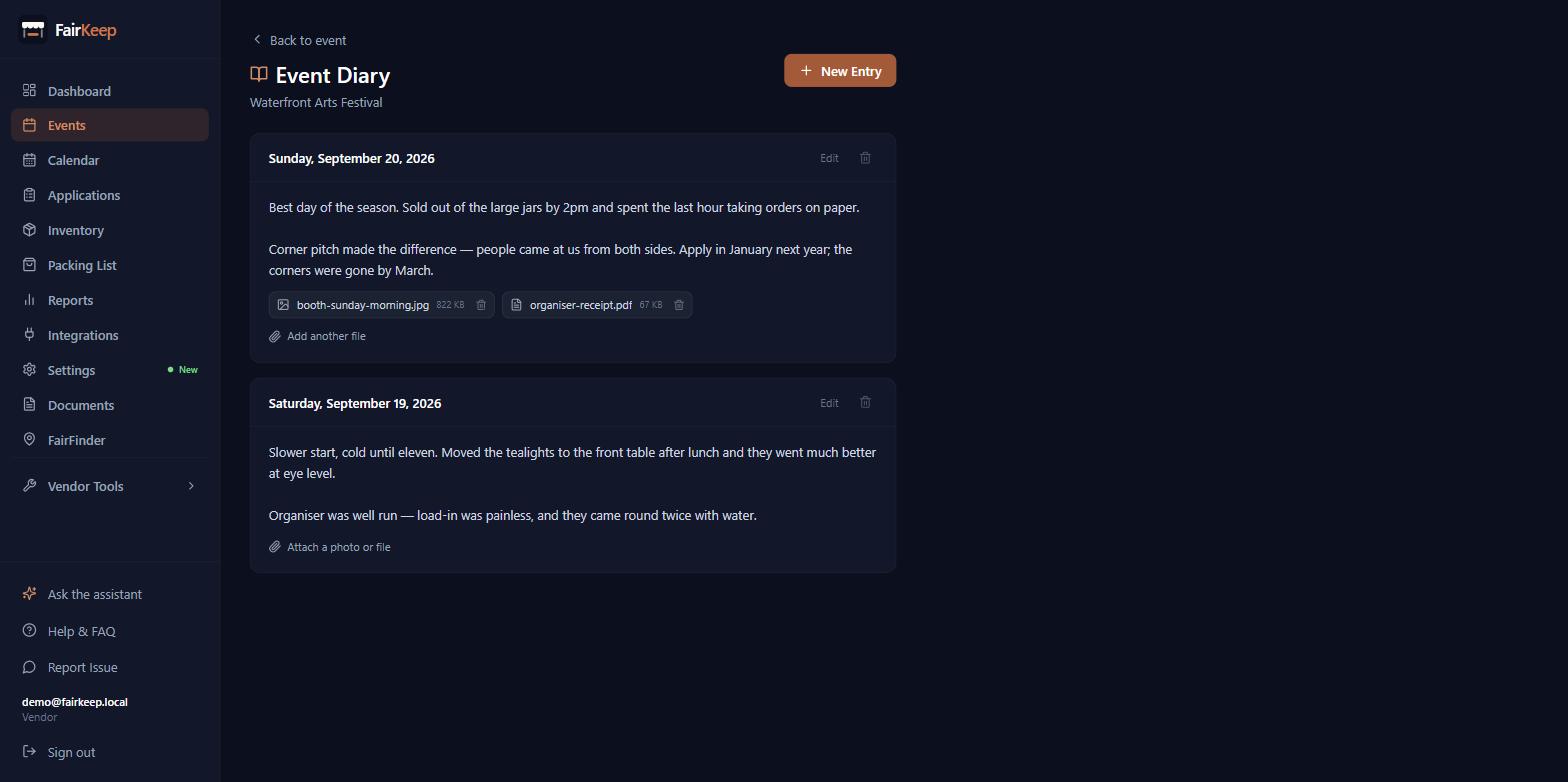
Events & Tracking
Attach photos and files to a journal entry
Keep the booth photo, the receipt and the signed form with the day you wrote about, instead of in a separate folder.
- 1Open the event and click "Event Diary".
- 2Under any entry, click "Attach a photo or file".
- 3Pick one file or several at once. Photos, PDFs, Word and Excel files, and plain text or CSV are accepted, up to 25MB each and 20 files per entry.
- 4Click the file name to open it. Images and PDFs open in a new tab; everything else downloads.
- 5The bin icon beside a file removes it from the entry and deletes the stored copy.
- 6Files are private to your account. The link that opens them is generated when you click and expires shortly after, so an attachment never sits on a public address.
- 7Deleting a journal entry deletes its attachments too.
- 8Pushing an entry to NoteSmith sends the WRITTEN entry only — attachments stay in FairKeep.
Related guides
Keep a diary for a show
Write down how a market actually went — the weather, the pitch, what sold — so next year you are deciding from notes instead of memory.
Track your first event
Learn how to log an event in FairKeep — from entering the show details before the event to filling in income and expenses afterwards.
Upload and manage documents
Store contracts, permits, and organizer PDFs in the Documents Library — with role-based access control and optional event linking.